🎓 Lesson 3: Orders
🎯 Objectives
By the end of this lesson, you'll be able to:
- Understand what appears on the Orders page
- Manage active limit orders
- Manage scheduled time orders
🧭 Introduction
The Orders page is for instructions that have not finished yet.
That usually means one of two things:
- A limit order is still waiting to be matched
- A time order is scheduled to execute later
Open it from the trading header or visit 🔗 Orders.
📌 Limit Orders
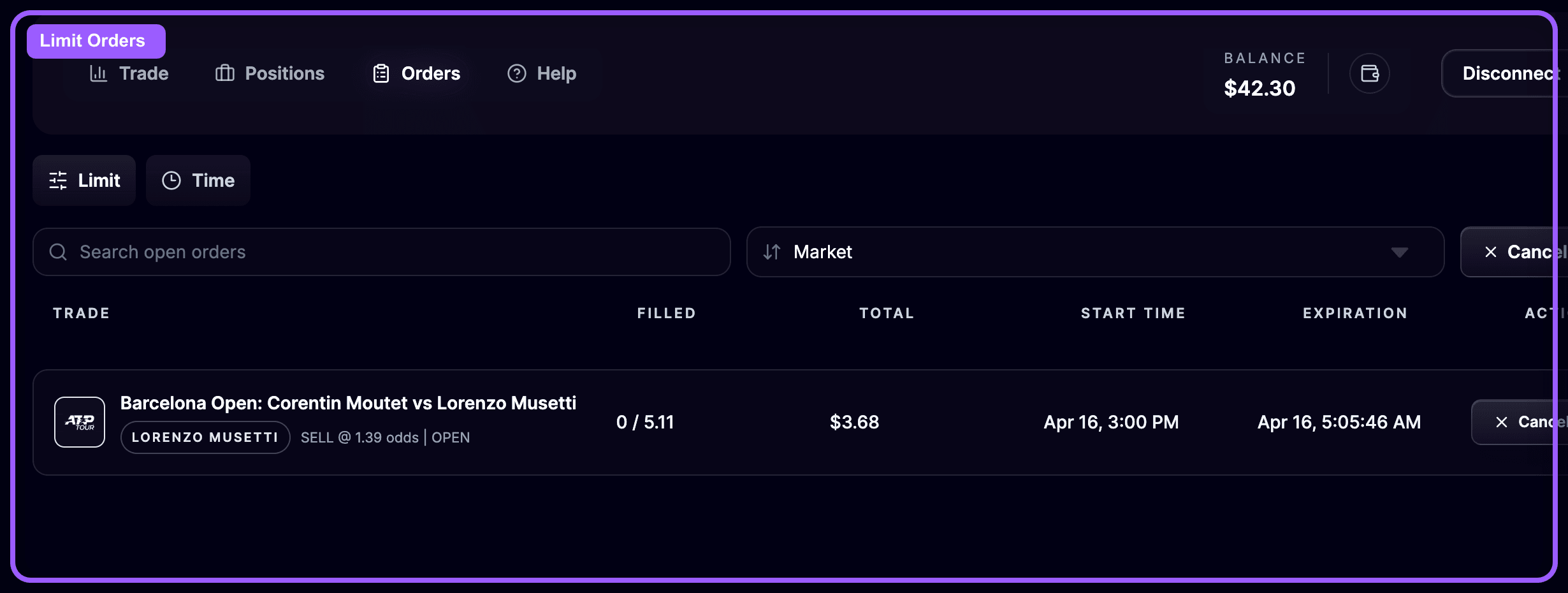
The Limit Orders tab lists active limit orders that are unmatched or only partially filled.
Each order row typically includes:
- Trade information
- Filled shares
- Total stake
- Event start time
- Order expiration
- A cancel action
Use this tab when you want to answer questions like:
- Has my order filled yet?
- How much of it is already matched?
- Should I keep it live or cancel it?
From this page, you can:
- Search for a market or outcome
- Sort orders by key fields
- Cancel a single order
- Cancel all limit orders
⏰ Time Orders
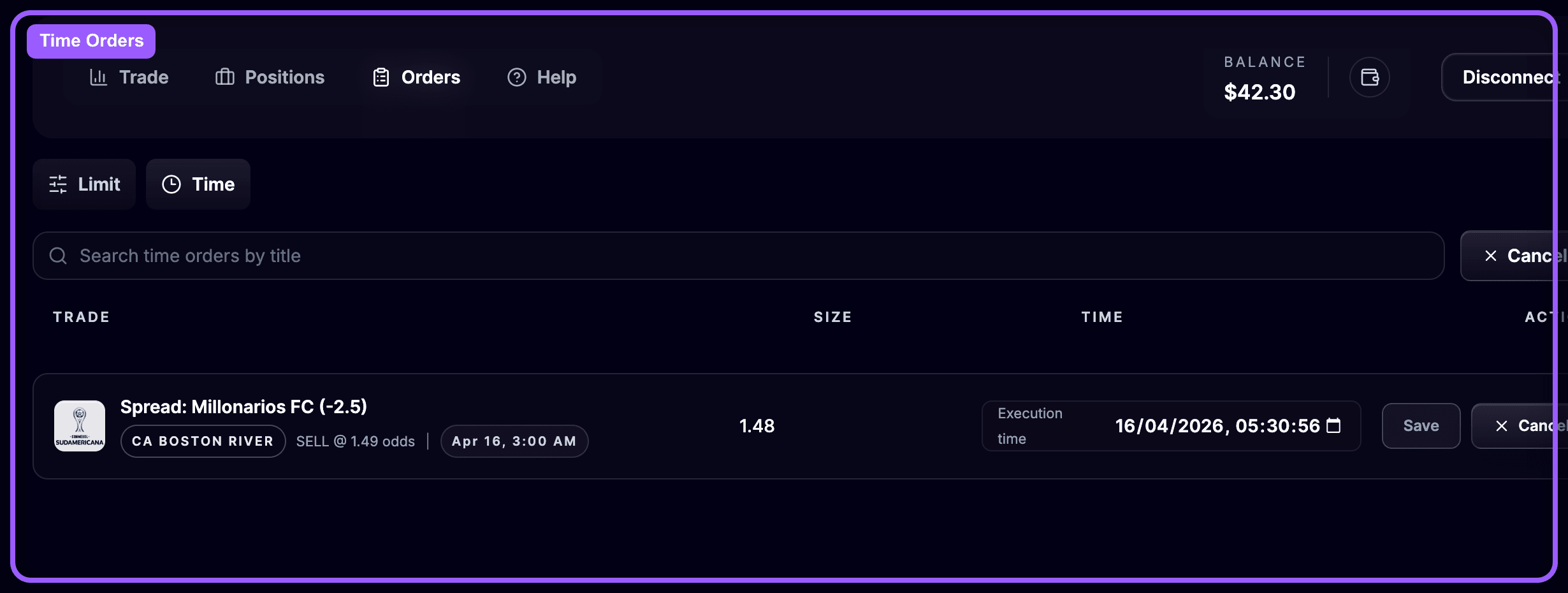
The Time Orders tab lists orders scheduled to execute at a chosen time.
Each row includes:
- Trade information
- Share size
- Scheduled execution time
- Actions to update or cancel the order
Use this tab when you want to:
- Confirm a scheduled close is still correct
- Move the execution time earlier or later
- Cancel the schedule if your plan changes
OddsFantasy lets you search for a time order, edit its execution time, or cancel it entirely.
🔄 How Orders and Positions Work Together
The Orders and Positions pages are closely connected.
- A limit entry starts on the Orders page and becomes a position once matched
- A scheduled close created from the Positions page appears as a time order
- If you cancel an order before it fills, no new position is created from it
This means your workflow usually looks like this:
- Submit a limit or time-based action
- Monitor it on Orders
- Move to Positions once execution happens
🧭 A Good Habit Before Event Start
Before a market goes in play, quickly review your Orders page and ask:
- Do I still want every open limit order to remain live?
- Is the scheduled close time still correct?
- Has anything partially filled that needs attention?
This quick check helps you avoid unwanted exposure.
🔁 Recap
Use the Orders page to manage instructions that are still pending:
- Limit Orders for unmatched or partially matched entries
- Time Orders for scheduled future execution
🔮 Next Lesson Preview
Once you start placing trades consistently, you need to review your results in a structured way.
In the next lesson, you'll learn how to use the OddsFantasy Bet Tracker dashboard.
⏭️ Next
