
OddsFantasy is a free, non-custodial trading terminal for Polymarket's sports markets. Alongside live charts and the full order book, it adds take-profit and stop-loss, which Polymarket doesn't offer natively, plus scheduled time closes, quote orders, hedge tracking and automated +EV betting.
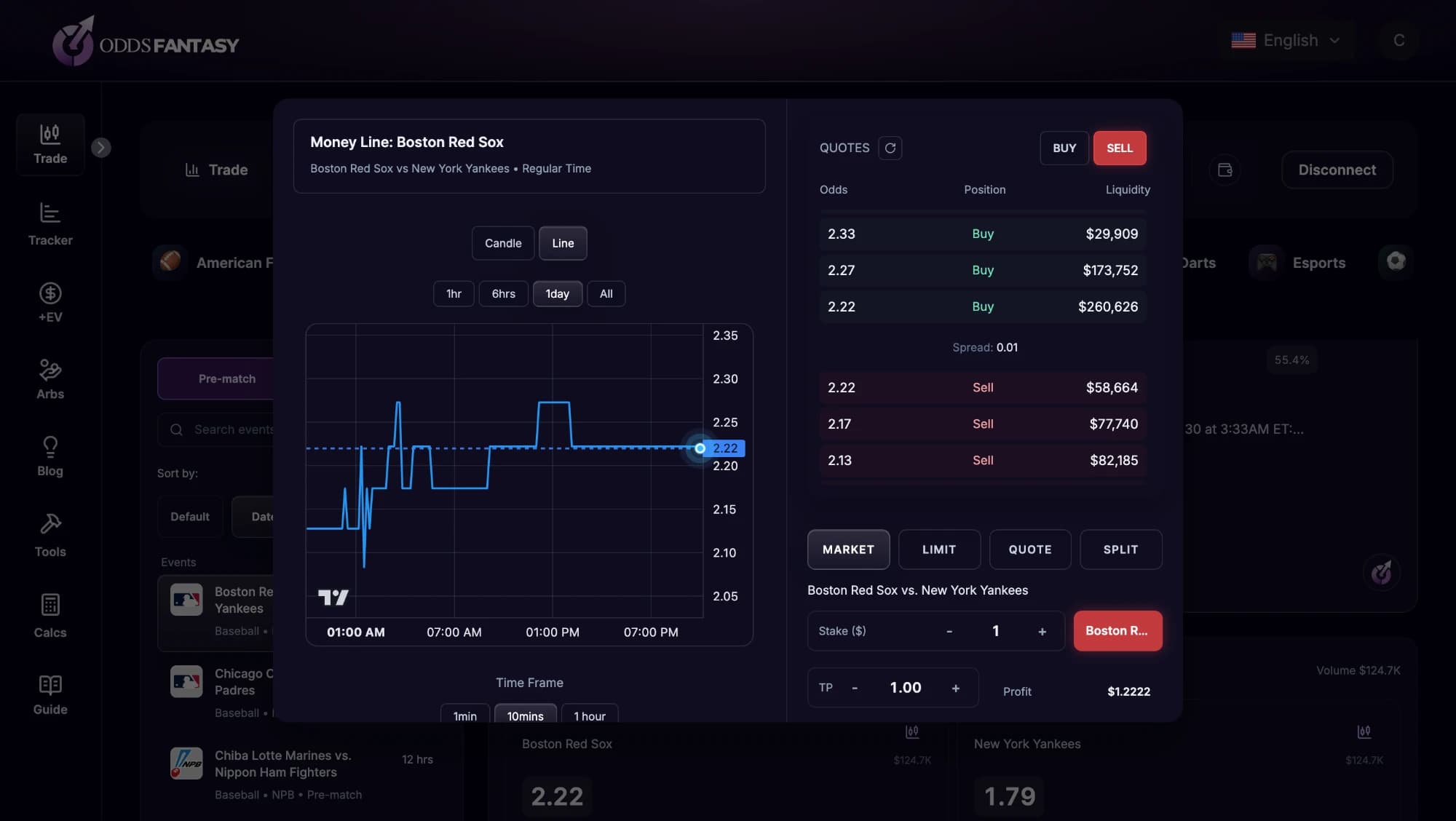
Browse live and pre-match Polymarket events across football, basketball, tennis, American football, baseball, cricket, esports, MMA and more. Filter and sort by date, liquidity and volume, then open an event to see each outcome's implied probability, its volume and the liquidity behind it.
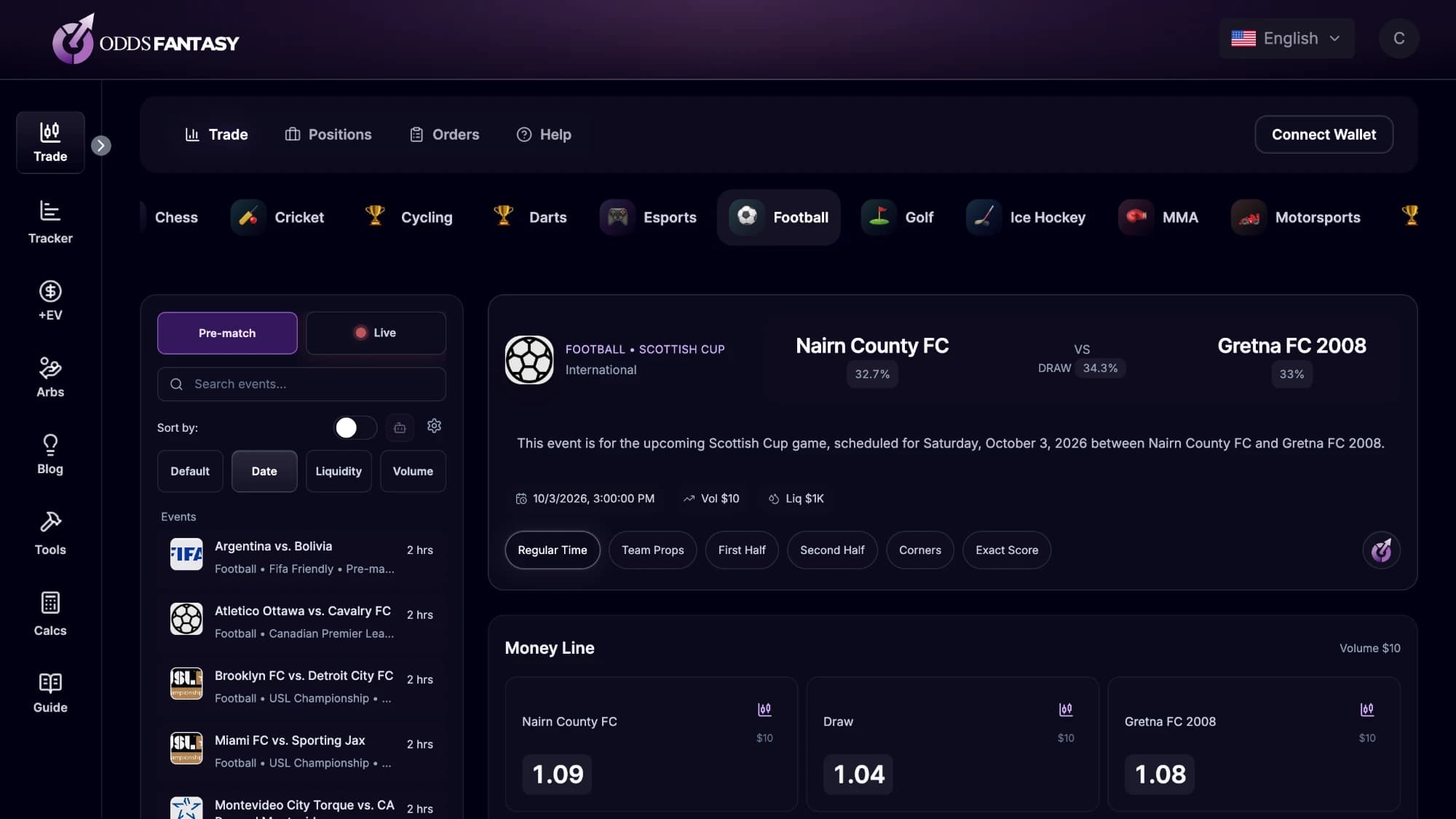
Each market opens in a trade window with candlestick or line charts, the live order book, available liquidity and the current spread. From there you choose how to trade:
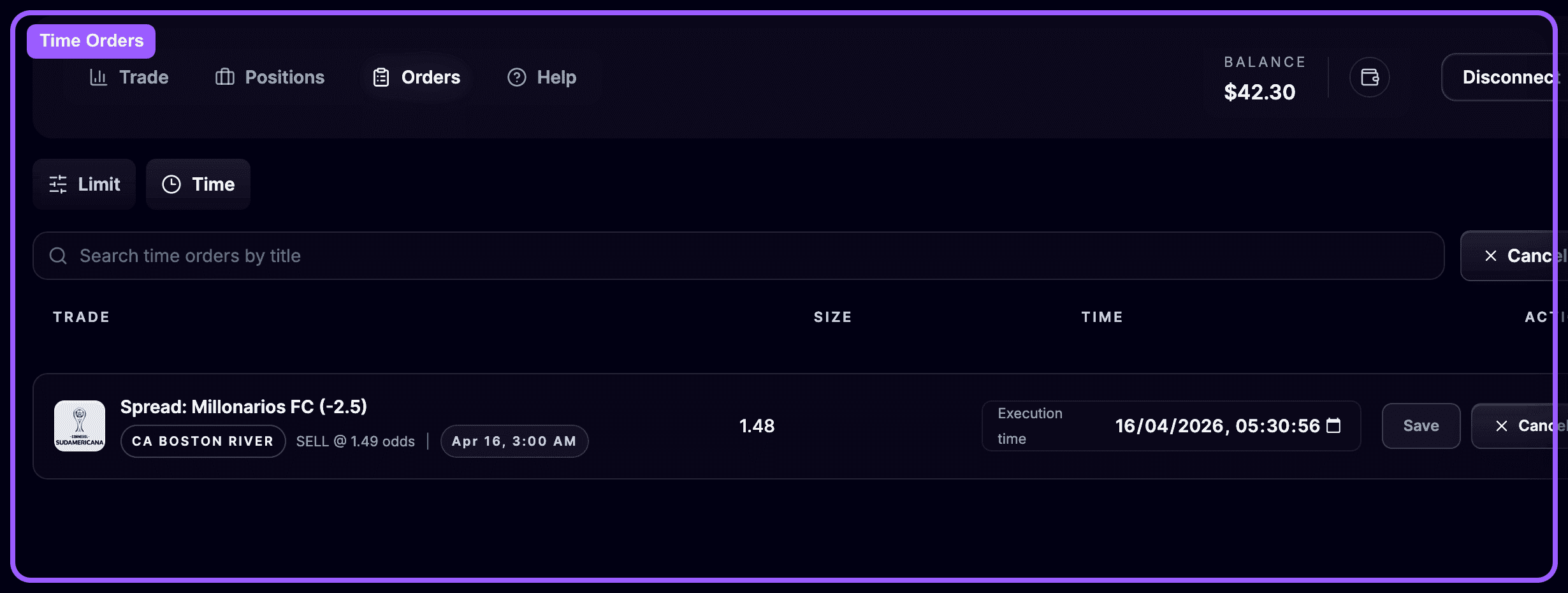
Close any open position with a market close, a limit close at your chosen odds, or a time close scheduled for a set moment, such as just before kickoff. Scheduled time orders are listed on the Orders page, where you can change the execution time or cancel them.
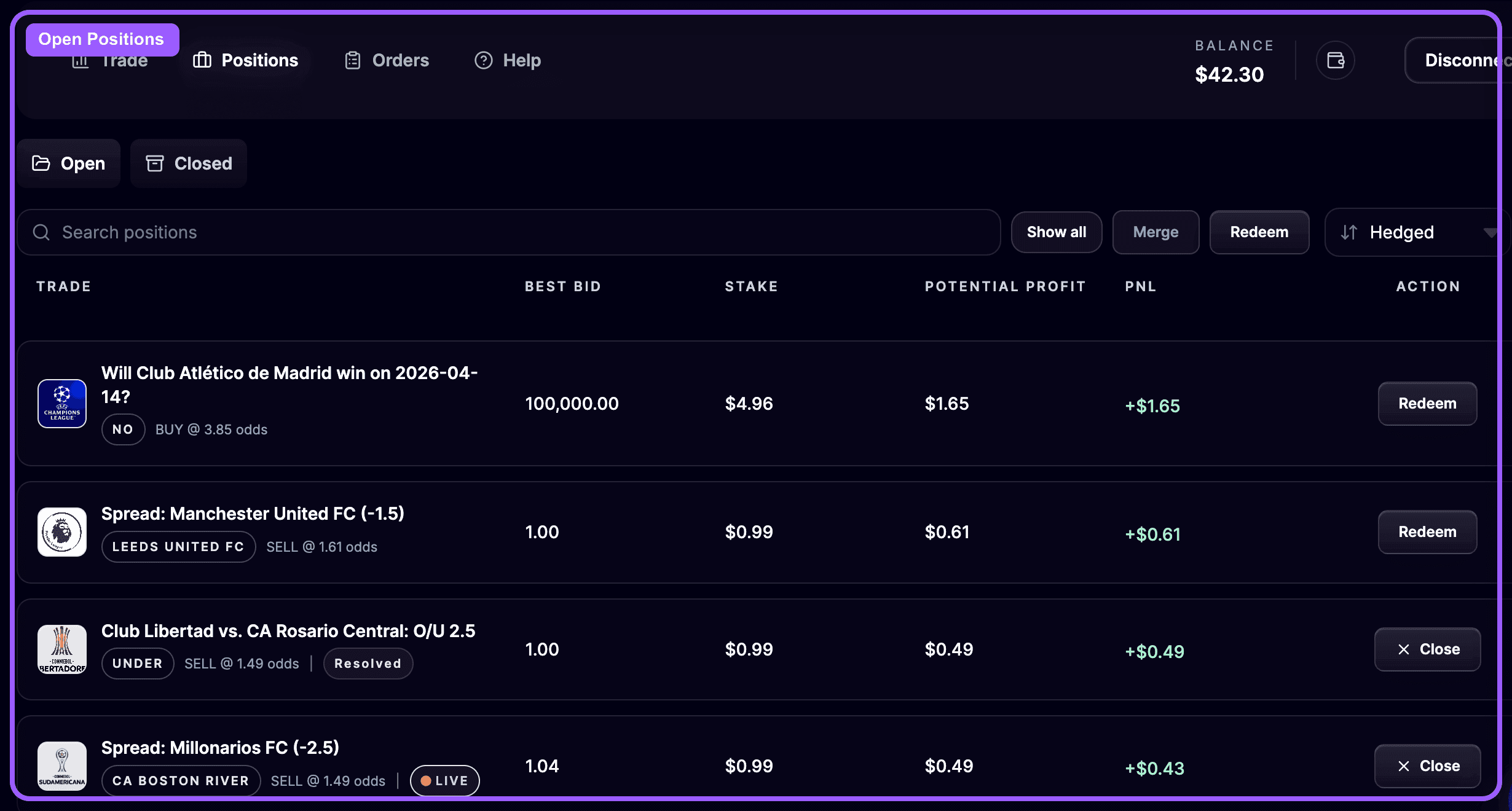
The Positions page colours every position by hedge status: red when it is exposed, yellow when an open limit order may complete the hedge, and green when it is fully hedged. You can merge opposite positions on the same market to lock in the spread and redeem resolved positions in one click.
| Feature | Polymarket | OddsFantasy terminal |
|---|---|---|
| Limit and market orders | Yes | Yes |
| Take-profit and stop-loss | Not built in | Yes |
| Scheduled time closes | Not built in | Yes |
| Quote orders on both sides of a market | Not built in | Yes |
| Hedge status for every position | Not built in | Yes |
| Automated entries and exits without code | Not built in | Yes |
| Automatic +EV bets against sharp odds | Not built in | Yes |
A Polymarket trading terminal is a separate interface for placing and managing trades on Polymarket's order book, with tools the standard site doesn't have. OddsFantasy's terminal focuses on sports markets and adds take-profit and stop-loss, scheduled time closes, quote orders, hedge tracking and automated trading.
No. OddsFantasy is non-custodial: you connect your own wallet and your funds stay in it. Automated trading uses an automation key saved in your trading wallet.
Polymarket's own interface offers limit and market orders but no built-in stop-loss. In the OddsFantasy terminal you can add a take-profit and stop-loss to a market order, close positions with a limit or time close, and let an exit preset apply a maximum-drawdown stop-loss automatically.
The terminal lists live and pre-match Polymarket events across sports including football, basketball, tennis, American football, baseball, cricket, esports and MMA.
Yes. Trading in the terminal is free: you can browse markets, use the charts and order book, and place and close orders at no cost. You only pay for advanced automation, the positive EV and arbitrage finders, and the AI research assistant. The free plan also includes 1 entry preset and 1 exit preset for basic automated trading.
OddsFantasy doesn't restrict sign-ups by country. Prediction-market trading is regulated differently around the world, so check that it is permitted where you live and follow the terms of the markets you trade.