
By the end of this lesson, you'll be able to:
If the Bet Tracker dashboard answers, "How am I doing overall?", the Bet History page answers, "What exactly did I place?"
Bet History gives you a chronological record of your betting and trading activity.
Open it from the sidebar or go directly to 🔗 Bet History.
Bet History is built for detailed record review.
Depending on the entry, you can inspect fields such as:
This page is especially useful when you want to audit a specific trade instead of reviewing aggregate performance.
Bet History supports quick review tools so you can find the entry you need faster.
You can:
Common statuses include:
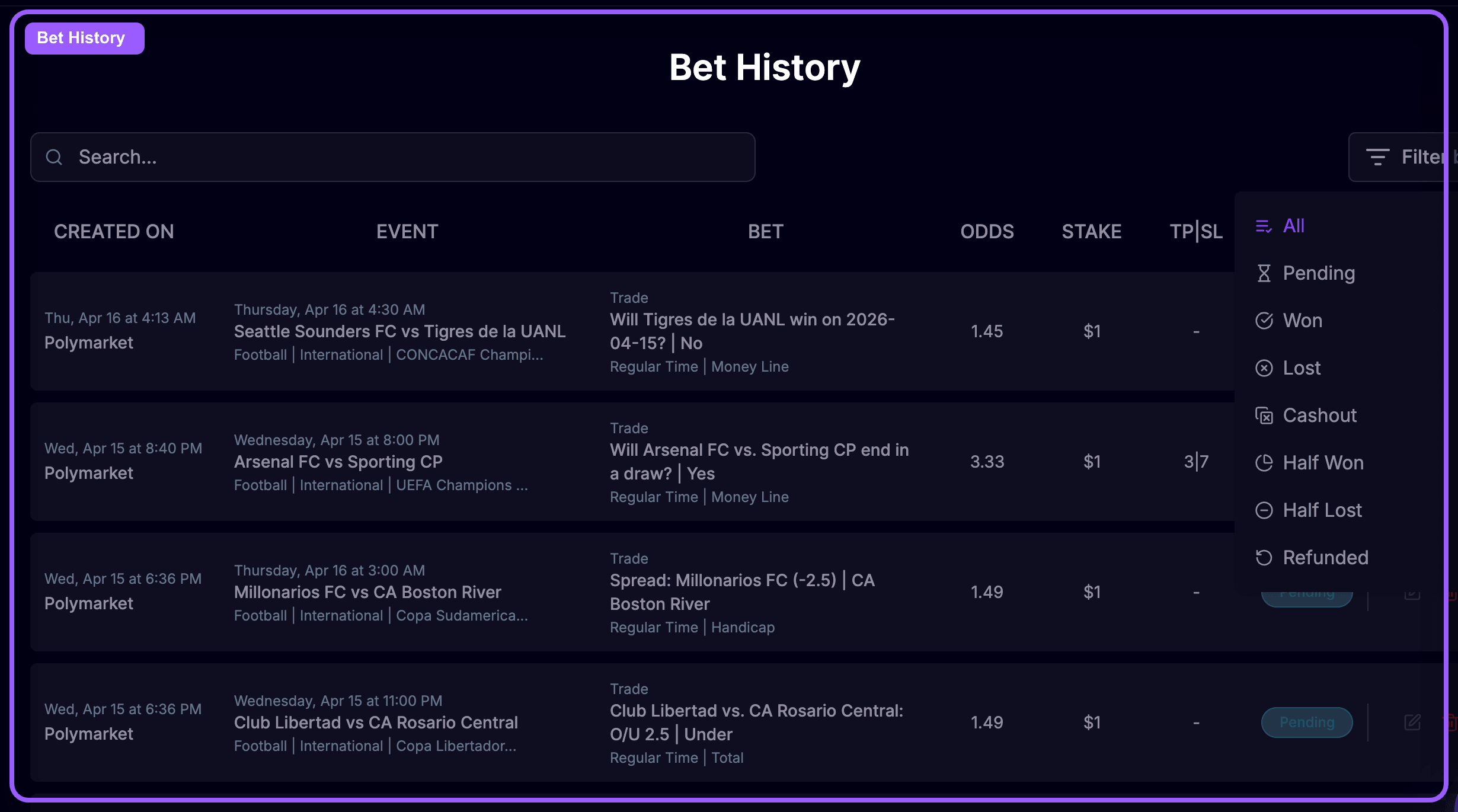
Bet History is also useful when you want to clean up or revisit old entries.
From the history workflow, you can review past records and, where needed, update or delete saved entries.
That makes it a practical page for:
Use both tracker pages together:
That combination gives you both strategy insight and execution detail.
Bet History is your searchable log of what you actually placed. It helps you verify details, inspect statuses, and review individual trades with more precision than the dashboard alone.
You have now learned how to use the main OddsFantasy workflow: